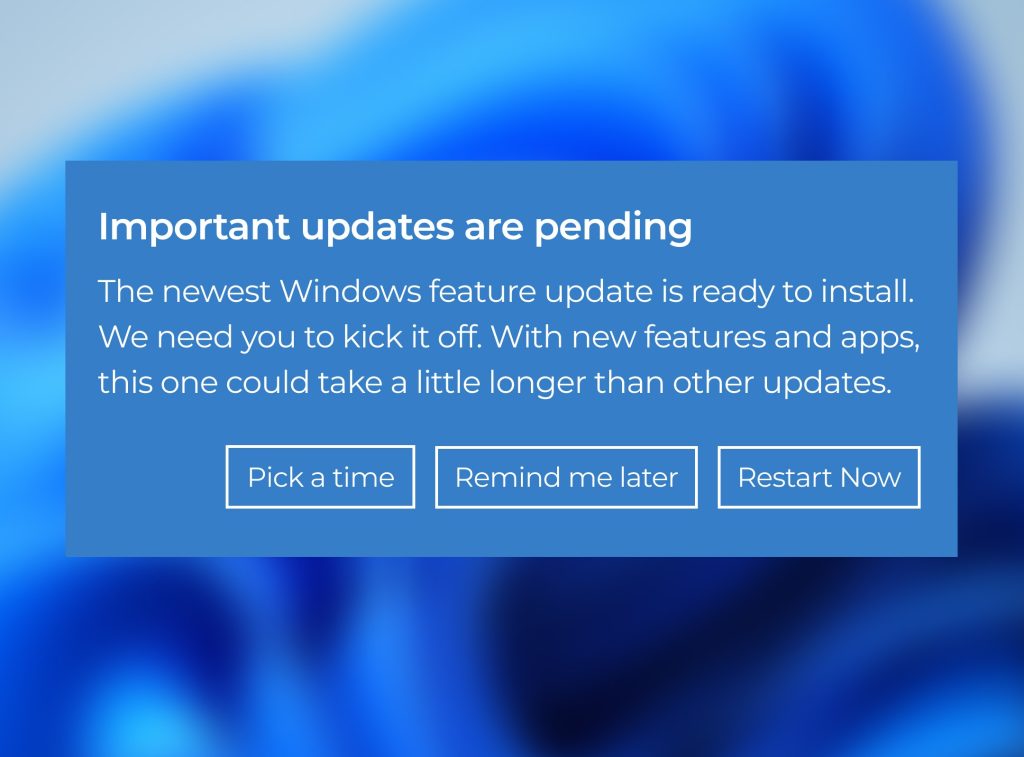
Have you noticed that occasional pop up on your screen informing you that your machine needs to restart to install updates?
Most of us hit “later” because we hate the interruption.
In a small business, that habit is easier to justify. The founder is about to jump into a client call. A remote teammate is working on a laptop that mixes work and personal use. Another employee has added an AI note taker because it helps them move faster. There may not even be anyone whose full-time job is IT.
Recent breaches, including incidents involving major organizations, highlight how quickly attackers exploit known vulnerabilities.
That “install updates” notification is not just another routine system message. It’s one of the simplest ways to avoid leaving a hole-in-the-fence of your security.
Key Takeaways
-
- Patch management is the ongoing work of identifying, prioritizing, installing, and verifying software fixes across the systems your business depends on.
-
- Unpatched vulnerabilities remain one of the most common ways attackers get in.
-
- AI is making this easier for attackers.
-
- Good automated patching follows a simple rhythm: scan, test, deploy, report. Approval and staged rollout matter because bad timing can be just as disruptive as a bad patch.
-
- Late patching is not only a security issue. It can also become an insurance and renewal issue.
- Late patching is not only a security issue. It can also become an insurance and renewal issue.
What is patching?
Patching or patch management is the ongoing process of keeping operating systems, applications, and firmware up to date with fixes for security issues, bugs, and reliability problems.
The restart notification you keep seeing is patching in action.
For Microsoft users, this process follows a consistent schedule. The company’s main monthly security update release lands on the second Tuesday of each month, which is why Patch Tuesday keeps coming up in IT conversations.
Why is unpatched software a target for hackers?
When a vulnerability becomes public, defenders and attackers learn about it at roughly the same time. Security teams read the advisory to judge impact and plan the fix. Attackers read the same details to see whether the flaw can easily be weaponized.
At the same time, many systems remain unpatched for weeks. All bad actors need is a delay between a fix being made available and it being installed.
AI is making that window tighter. Attackers can move faster, while your patching surface gets wider as new AI apps, browser extensions, and model-connected tools quietly enter your environment. That combination increases your exposure.
Industry data shows a growing trend of attackers using known vulnerabilities as an initial access point. Which brings us back to that pop up you keep postponing.
Unpatched systems aren’t “a bit outdated.” They’re known entry points and can be the opening someone was waiting for.
This is why patching isn’t a routine IT task, and why companies like Microsoft stick to a consistent update schedule.
Why patching is harder for SMBs
The fix is available but getting it applied everywhere is where small businesses get stuck.
The team is trying to move as fast as larger competitors, some people are remote, devices are spread across home networks, and the software stack is not just Windows and Office anymore. It includes browser extensions, AI tools, and whatever else people adopted because it helps them get work done. All of that makes it harder to keep track of which systems are up to date.
Someone has to know what assets exist, which updates matter first, whether an update could break something important, when it can be rolled out without interrupting work, and how to confirm it installed correctly.
A large portion of the risk doesn’t come from what the company built themselves. It comes from third-party software, which means you’re also dependent on how quickly those vendors release fixes.
While the fix might exist, getting it applied everywhere, consistently, and on time can be problematic.
How patch management works in practice
There are two common ways patching gets handled: manually or automatically.
Manually means that decisions around what to patch, when to patch, and how to deploy updates are often made by your IT team. Furthermore, some steps may require approval or direct involvement from end users.
Your patching cycles will be slower as updates are applied one system at a time, issues take longer to resolve, and IT teams spend more time coordinating than moving things forward.
Automated patching however, uses predefined rules and policies to identify, test, and roll out updates across systems without having to push each one individually. It’s therefore easier to manage patching at scale while keeping track of what’s happening.
Here’s the difference at a glance:
| Manual Patching | Automated Patching |
| Reactive (happens after something triggers it) | Structured (happens on a schedule) |
| One-by-one effort | Scaled rollout |
| Dependent on people | Driven by policies |
| Slower cycles | Faster, consistent cycles |
| Limited visibility | Centralized visibility |
That’s one aspect of it. Deciding how quickly updates need to be applied is another.
What is a patching SLA? (and why it matters)
In this context, an SLA is an agreement that defines how quickly different types of vulnerabilities need to be addressed. It sets clear expectations for response times and helps ensure updates are applied within an acceptable window, rather than whenever someone gets around to it.
Even if you do not call it an SLA, you still need a rule for urgency. Some fixes can wait for a normal maintenance window. Others cannot, especially if they affect internet-facing systems, core business software, or vulnerabilities already known to be exploited in the wild.
SLAs are constrained by:
-
- testing requirements (you don’t want to break production)
-
- system complexity
-
- business impact
-
- resource availability
Additionally, many organizations operate severity timelines with ranges like:
-
- Critical: 24–72 hours
-
- High: ~7–14 days
-
- Medium: ~30 days
-
- Low: ~60–90 days
How patching gets done at scale
Good patch management follows a simple pattern: scan, test, deploy, report.
Scanning is where you look across what’s in your environment, from laptops and servers to the apps people rely on every day, then work out which updates are missing and which ones need attention first. For SMBs, this is often where you find the devices and apps that quietly fell off your radar. Endpoint Central, for example, can be used to provide visibility across Windows, Mac, Linux, and a wide range of third-party applications.
Testing is where caution comes in. Before anything goes wider, updates are tried on a smaller group first so issues can be caught early and dealt with before they affect everyone.
Deployment is the rollout itself, usually on a schedule and in phases. The goal is not just to stop one bad update from hitting every device at once. It is also to avoid interrupting people in the middle of the workday if you can help it.
Reporting is the follow-up. It shows what installed, what failed, what still needs to be addressed, and what got missed entirely. Patch Manager Plus has a dedicated reporting layer for missing patches, failed updates, vulnerable systems, reboot requirements, and patch compliance status.
Tools like these support automated patching and help make it more consistent across the mix of devices and apps a small business runs.
As an implementation partner to most vendors, we often tell our clients that the real value is in making sure patching happens consistently in the background. That is what turns patching from a recurring interruption into a dependable control.
Can late patching void my cyber insurance
Most SMBs assume cyber insurance will help if a breach happens. But coverage can still hinge on whether basic security controls were maintained when it mattered.
Patching is one of those expectations. If a known vulnerability is left unpatched beyond an acceptable window and a breach follows, insurers may treat that as a failure to maintain reasonable security practices.
Coalition’s 2023 Cyber Claims Report found that policyholders with unresolved critical vulnerability were 33% more likely to experience a claim. That does not mean every delayed update automatically voids a policy, but it does show how quickly late patching can become more than a security issue.
Putting off updates doesn’t only increase the chances of getting breached. It can also affect whether the business is financially protected afterward.
Conclusion
Patching is essential, but it works best as part of a broader security approach. Good patching is not just about installing updates when a prompt appears. It depends on visibility, prioritization, testing, scheduling, and follow-up so that known problems do not stay open longer than they should. In that sense, patching is less of a one-off task and more of a form of preventive maintenance.
If a single missed update can bring everything down, the entire environment has an issue that goes beyond patching. The goal is not to react faster to a restart notification. It is to build a process that keeps systems current, reduces avoidable disruption, and closes the gap attackers are counting on before it turns into a problem for the business.
If you’re unsure how well your patching process is working, we can help you identify gaps before they turn into real risks.
Frequently Asked Questions
Can patching break my systems or applications?
Patching can cause system or application issues if updates introduce compatibility conflicts or are not properly tested before deployment.
Testing patches in a controlled environment reduces the risk of disruption.
What is the difference between patching and updating?
Patching applies targeted fixes for vulnerabilities or bugs, while updating delivers broader changes including features, performance improvements, and cumulative fixes.
What are the main approaches to patch management (manual vs automated)?
Patch management can be manual, requiring human intervention, or automated, using tools to deploy, schedule, and enforce patches across systems.
Automated patching improves consistency and reduces operational overhead.
Why do updates often require a system restart?
Updates require restarts to replace in-use system files and apply core operating system changes that cannot be modified while the system is running, ensuring all components load the updated code correctly.
How often should small businesses patch?
There is no single schedule that fits every business. Monthly vendor cycles are common for routine updates, but issues that are actively exploited or that expose critical systems should move faster than the next routine window.
How quickly should critical vulnerabilities be addressed?
Critical vulnerabilities should be patched as soon as possible, ideally within 24 to 72 hours, depending on exploit availability, risk exposure, and operational constraints.
What are the main challenges in patch management?
Common challenges include system downtime, compatibility issues, limited testing capacity, asset visibility gaps, and coordinating patch deployment across distributed environments.